zemixtools

Favicon generator for the full icon set

Drop one logo and take every icon a modern website needs, with the code to paste. Your image never leaves this device.

  • No sign-up
  • No upload
  • No waiting

Drop your logo or iconTap to choose your logo

SVG gives the sharpest result. PNG works best at 512 px or larger.

Background
On dark tabs

Sent from your device: 0 bytesSwitch off the internet and it still works.

O open an imageD download the setEsc start over
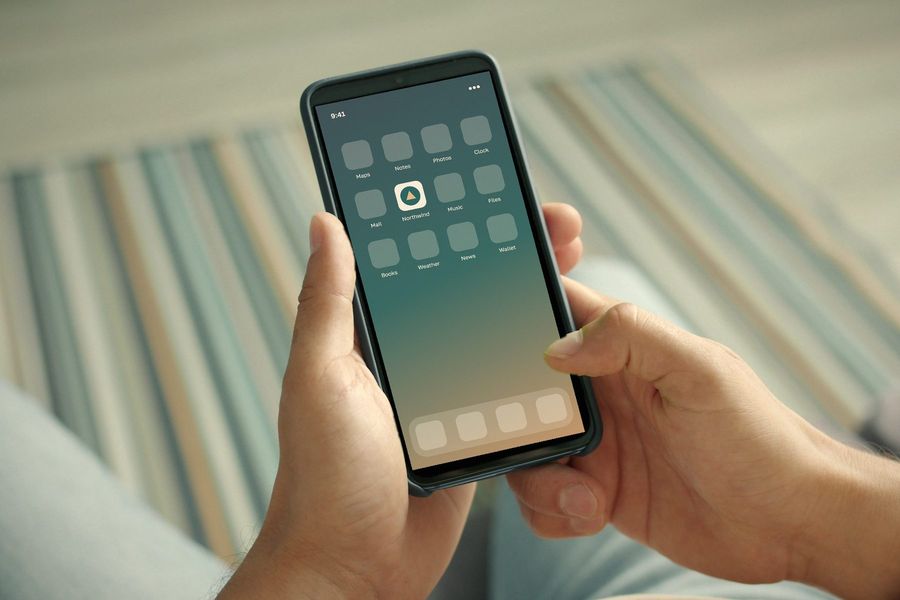
Hands holding a phone with the bakery icon on its home screen
Example
Example

On a regular customer’s home screen

  • 16 × 16
  • 32 × 32
  • 180 × 180
  • 512 × 512
These icons came out of this tool from the bakery logo, in one ZIP with the code to paste.
From the studio

What we do on client work

  1. We judge a favicon at 16 pixels first and only then look at the large sizes, never the other way round.

  2. A brand symbol on a solid plate reads better in a tab than a full wordmark. We take the plate colour from the brand palette.

  3. We always check the icon on a dark browser tab. A dark logo disappears there more often than people expect.

How to make a favicon set

  1. Drop your logo or icon on the panel, or type one or two letters or an emoji if there is no logo yet. A square SVG gives the sharpest result.
  2. Choose a transparent background or a colour, round the corners and add padding if the mark touches the edges.
  3. Check the previews: light and dark browser tabs, bookmarks, a search result and phone home screens. The 16 pixel check tells you if the mark turns into a smudge.
  4. Download the ZIP, unpack it into the root folder of your site and paste the five lines of code into the head of your pages.

What each file is for

favicon.ico holds 16, 32 and 48 pixel versions for browser tabs, bookmarks and older software. icon.svg is drawn sharply at every size by modern browsers and can change itself for dark browser themes. apple-touch-icon.png is the 180 pixel tile an iPhone or iPad shows on the home screen, so it always gets a solid background.

icon-192.png and icon-512.png are listed in site.webmanifest for Android home screens and installable web apps. icon-mask.png keeps your mark inside the safe circle, 40% of the width from the centre, so Android can cut it into a circle or a rounded square without clipping it. The 16 and 32 pixel PNG files are there for website builders that ask you to upload a PNG.
Tips for an icon that reads at 16 pixels

A full logo with small lettering turns into a smudge at tab size. Use the symbol or the first letter of the brand, keep strong contrast and thick shapes, and look at the 16 pixel preview before you download.

Questions people ask

Which favicon files do I need in 2026?

A favicon.ico, an SVG icon, a 180 pixel apple-touch-icon, 192 and 512 pixel icons with a maskable version, and a web app manifest. Four lines of HTML link them all, and this set covers browsers, iOS, Android and installable web apps.

Is my logo uploaded to a server?

No. The icons are drawn and packed into the ZIP inside your browser, so your logo stays on your device.

Why does the apple-touch-icon have a background?

iOS fills transparent areas of home screen icons with black. A solid colour you choose looks far better, so this file always gets one, white by default.

Where do I put the files?

Place them in the root folder of your website, next to the home page, and paste the generated code into the head section of every page or of your site template.

Can I use a JPG photo?

Yes, although a photo rarely reads well at 16 pixels. A simple symbol with a clear outline makes a much better favicon.